
Calculate both versions of your hourly
Subtract tip-out from the tips you received, add the hourly wages earned for the same shift, then divide by hours worked. Keep tips-only hourly earnings separate from combined hourly earnings, and label both as before taxes and other paycheck deductions.
Start with three amounts from the same shift
For this example, imagine that you worked six hours, received $200 in tips, paid $30 in tip-out and earned $60 in hourly wages. The wage amount is an illustration, not a statement about the rate your employer must pay. Use your actual hours and wages when doing your own calculation.
You kept $170 in tips after tip-out. Add the $60 in hourly wages and the combined shift earnings come to $230 before taxes and other deductions. Divide $230 by six hours and round the result to $38.33 per hour.
The tips-only figure is different: $170 divided by six is $28.33 per hour after tip-out. Either number can help you understand a shift, provided you say what is included. Writing only “$38.33 hourly” makes later comparisons harder.
| Tips received | $200.00 |
|---|---|
| Tip-out paid | $30.00 |
| Tips kept | $170.00 |
| Hourly wages for this shift | $60.00 |
| Combined earnings before taxes | $230.00 |
| Hours worked | 6 |
| Combined earnings per hour before taxes | $38.33 |
Avoid counting a payout twice
Before subtracting tip-out, find out whether the tip number on your checkout is before or after it. If a report already shows $170 after a $30 distribution, subtracting another $30 would understate your tips. Record the original $200 and the separate $30, or clearly label the $170 as tips already kept.
Also separate when money was earned from when it arrived. Card tips earned on Saturday might be paid later. If you count them in Saturday’s shift record and then add the same payout as new earnings on payday, you count one amount twice. The payment date can matter for your budget; it should not silently create another shift’s earnings.
This worksheet describes earnings, not the cash in your pocket at closing or your final paycheck. The Department of Labor explains that tips and employer-paid wages have distinct treatment. Its guidance is a starting point for questions about tip arrangements, rather than proof that a particular arrangement is lawful.
Sources: U.S. Department of Labor: Tip regulations under the FLSA
Compare shifts using the same definition
Now imagine a second shift: five hours, $180 in tips, $20 in tip-out and $50 in hourly wages. That leaves $160 in tips and $210 in combined earnings, or $42 per hour before taxes and other deductions.
The first shift produced more combined dollars: $230 compared with $210. The second produced more per hour: $42 compared with $38.33. Neither figure alone tells you which shift you would prefer. A longer shift may help you reach a weekly dollar goal, while a shorter shift may fit your available time.
A pair of fictional shifts cannot establish which day, employer or role pays better. Build a record across comparable shifts, and note changes such as working a different role or leaving early. Treat a pattern as a question to investigate, not a promise about your next shift.
More dollars or more per hour?
Combined shift earnings
Combined hourly earnings
Keep a short closeout record
A consistent record makes the next calculation easier. After a shift, capture these details while you still have the checkout information:
- Workplace, role, date and actual hours worked.
- Cash and card tips, with a note on whether the amounts are before tip-out.
- Tip-out paid and how the workplace calculated it.
- Hourly wages earned for those hours.
- Anything that could explain an unusual result, such as an early cut or a different role.
How TipsCoach helps with the calculation
Tips Coach lets you record cash and card tips, hours and tip-outs, with saved tip-out rules based on tips or sales. Its weekly goal follows net tips after tip-out; estimated base wages are shown separately. Keeping those records clear gives you the inputs for the combined-earnings calculation in this guide.
Unlimited local shift logging, saved history and edits, multiple jobs, tags and weekly goals stay free. Optional Pro features include detailed comparisons, earnings patterns and exports. The app is free to download for iPhone, with optional in-app purchases. Its insights use your own logged history and cannot guarantee higher tips, certify payroll accuracy or determine the wage rules for your job.
You can also use the worksheet above without an app. The useful habit is keeping the same definition of earnings from one shift to the next.
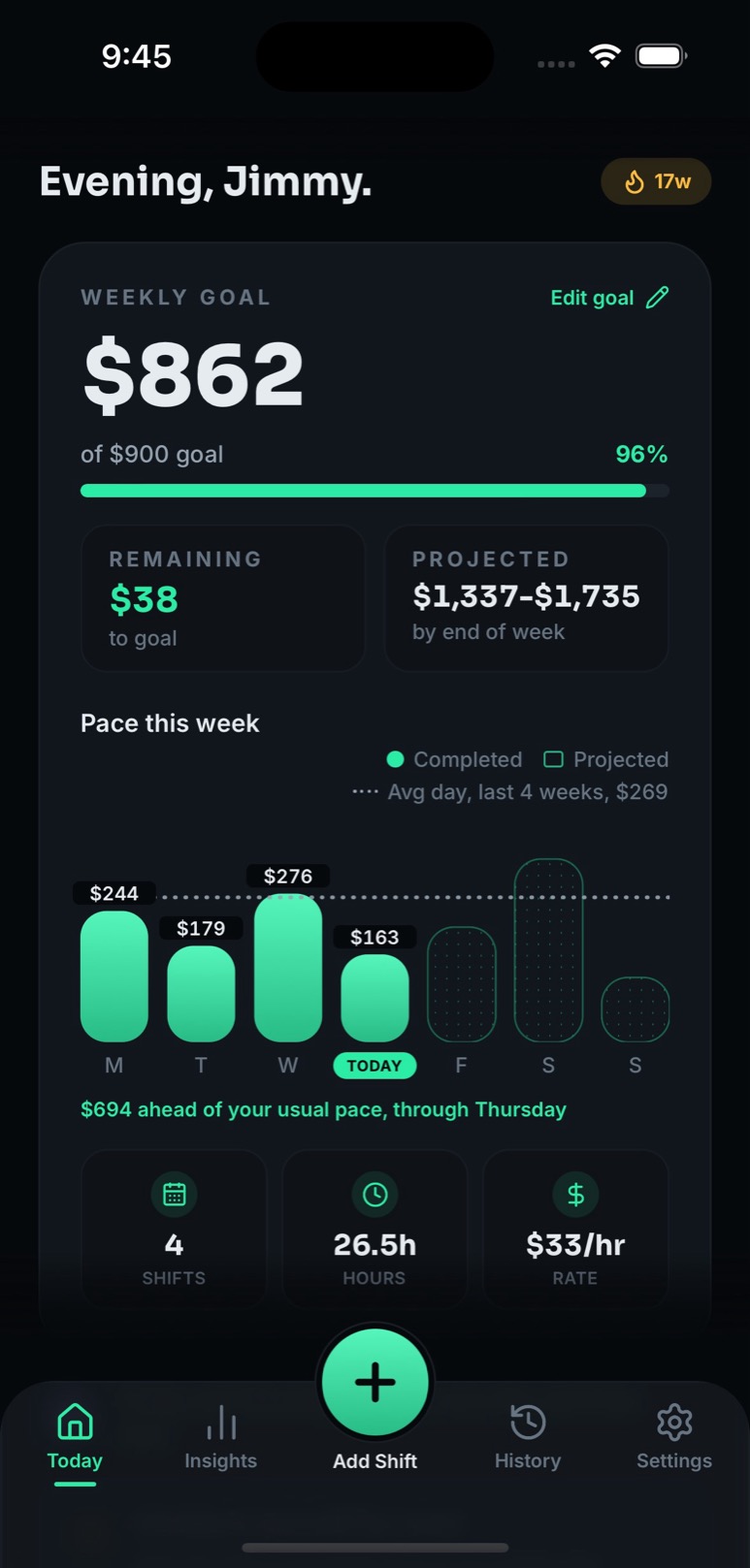
A clearer picture of your shifts
The TipsCoach Today screen, using demo data from the website’s existing app screenshots. Screen amounts are separate from this article’s fictional worksheet.
Explore the app’s featuresSources: TipsCoach features and availability · Tips Coach: Tip & Shift Log on the App Store
Try your own shift
Use amounts from the same shift. Enter tips before tip-out and wages earned for the whole shift. Results are before taxes and other paycheck deductions. These entries stay in this page and are not saved or sent anywhere.
Not sure about your wage rate? Use the state wage guide as a starting point and confirm the rules for your workplace.
About this guide
This guide was drafted with AI assistance. Before publication, a human editor reviews its calculations, sources, product claims and usefulness. The examples are fictional and do not represent customer data or promised earnings.
Published by TipsCoach, operated by Xstream Networks, LLC. Questions or corrections: contact support.
Put your next shift on the record.
Download Tips Coach: Tip & Shift Log for iPhone. Start with free shift logging, saved history and edits; optional Pro features are available through in-app purchases.

Free to download for iPhone.
Optional in-app purchases.

On a computer?
Scan with your iPhone camera.