
The tip tracker that shows what your shift was actually worth.
Log a shift in about fifteen seconds. TipsCoach takes the tip-out off the top, keeps every job separate, and turns your nights into a real hourly you can act on.
Built for servers, bartenders, baristas and anyone who works for tips.
-
Log in seconds
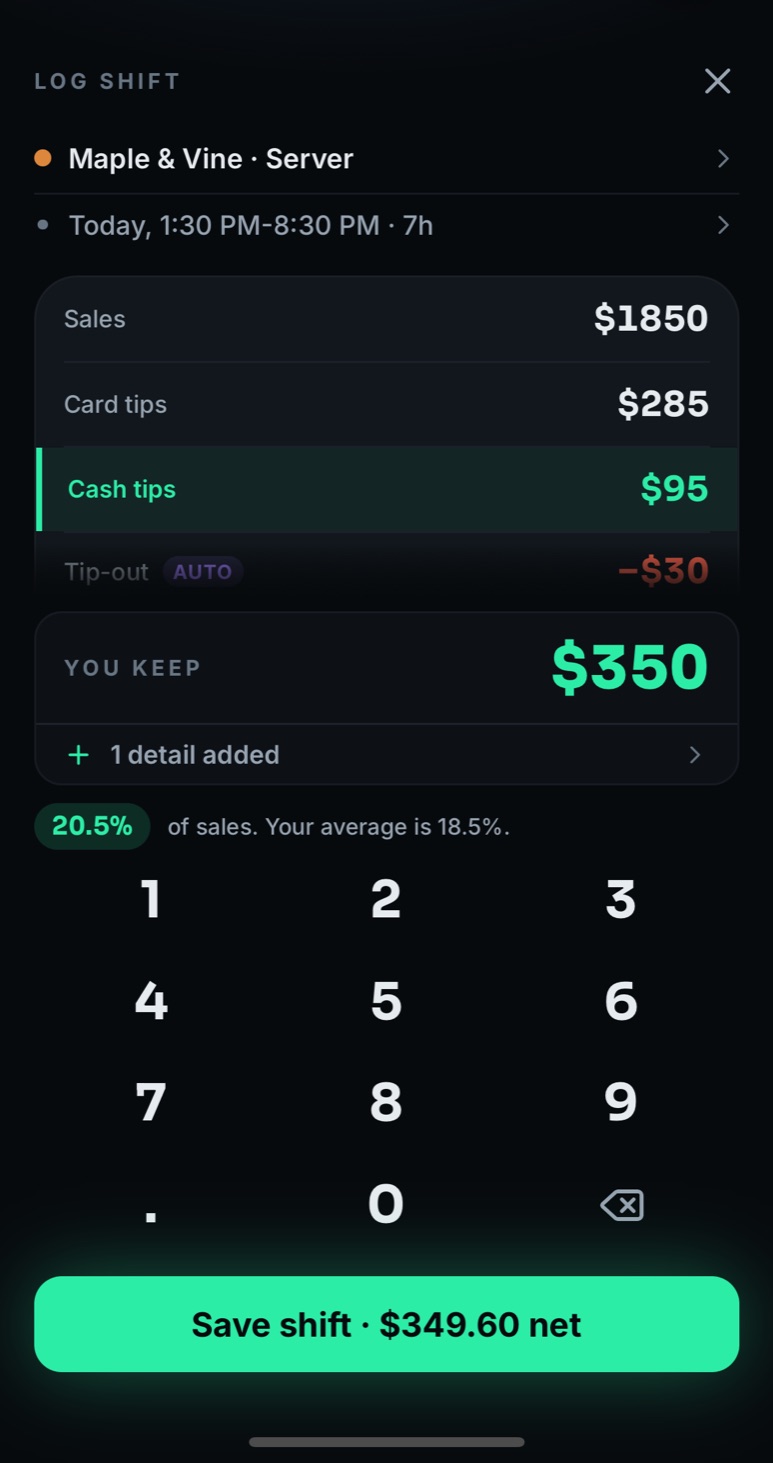
A numpad built for one hand on the walk to the car.
-
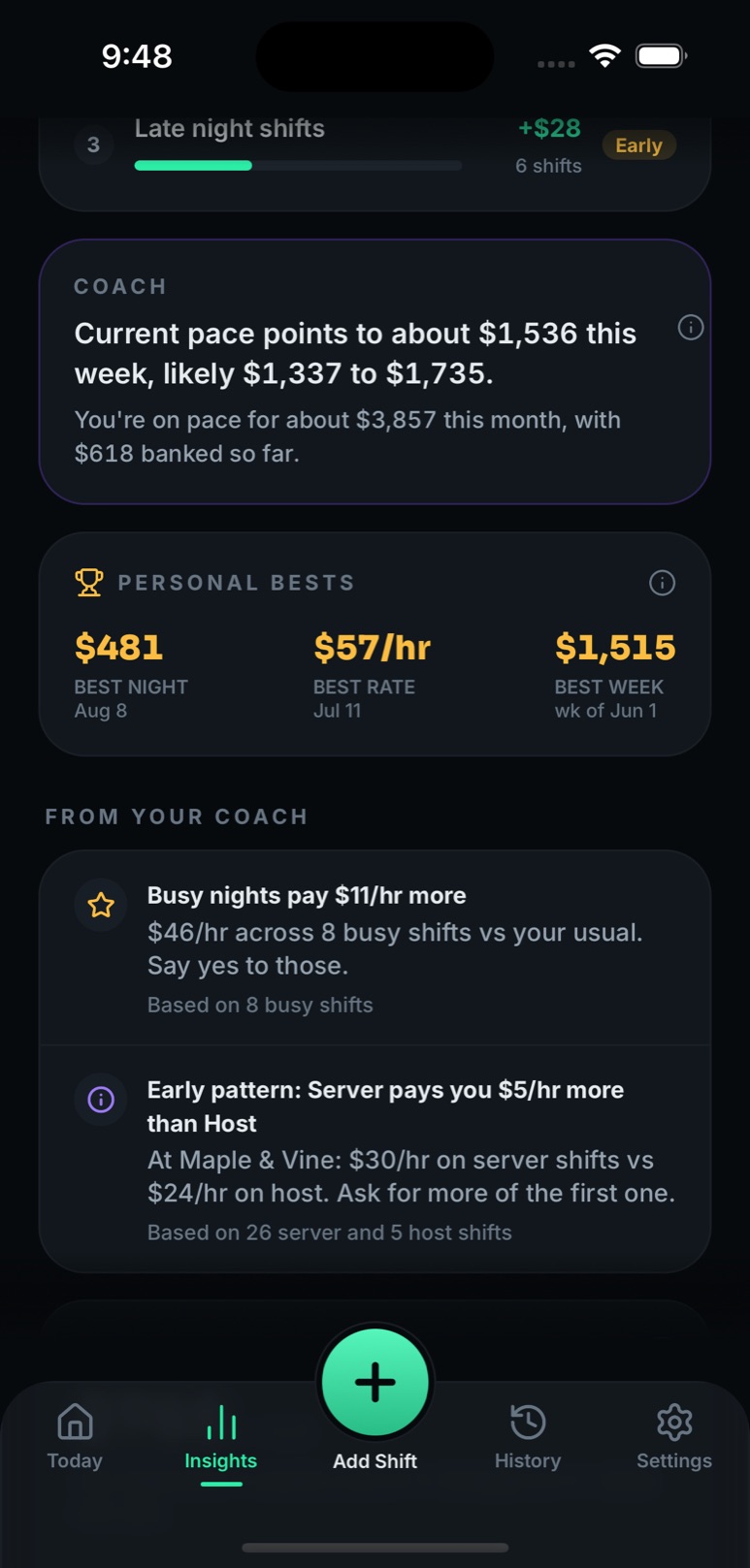
See your patterns
Best days, best hours, best jobs, from your own shifts.
-
Find what pays
A coach that tells you which shifts to say yes to.
Coming soon to the App Store
Free to start. No account needed. Works offline. No ads, ever.

What it does
The numbers your job never gives you.
Your real hourly, after tip-out
Tip-out rules match your house, a percentage of tips or of sales per role, applied to every shift. The hourly you see is money you kept.
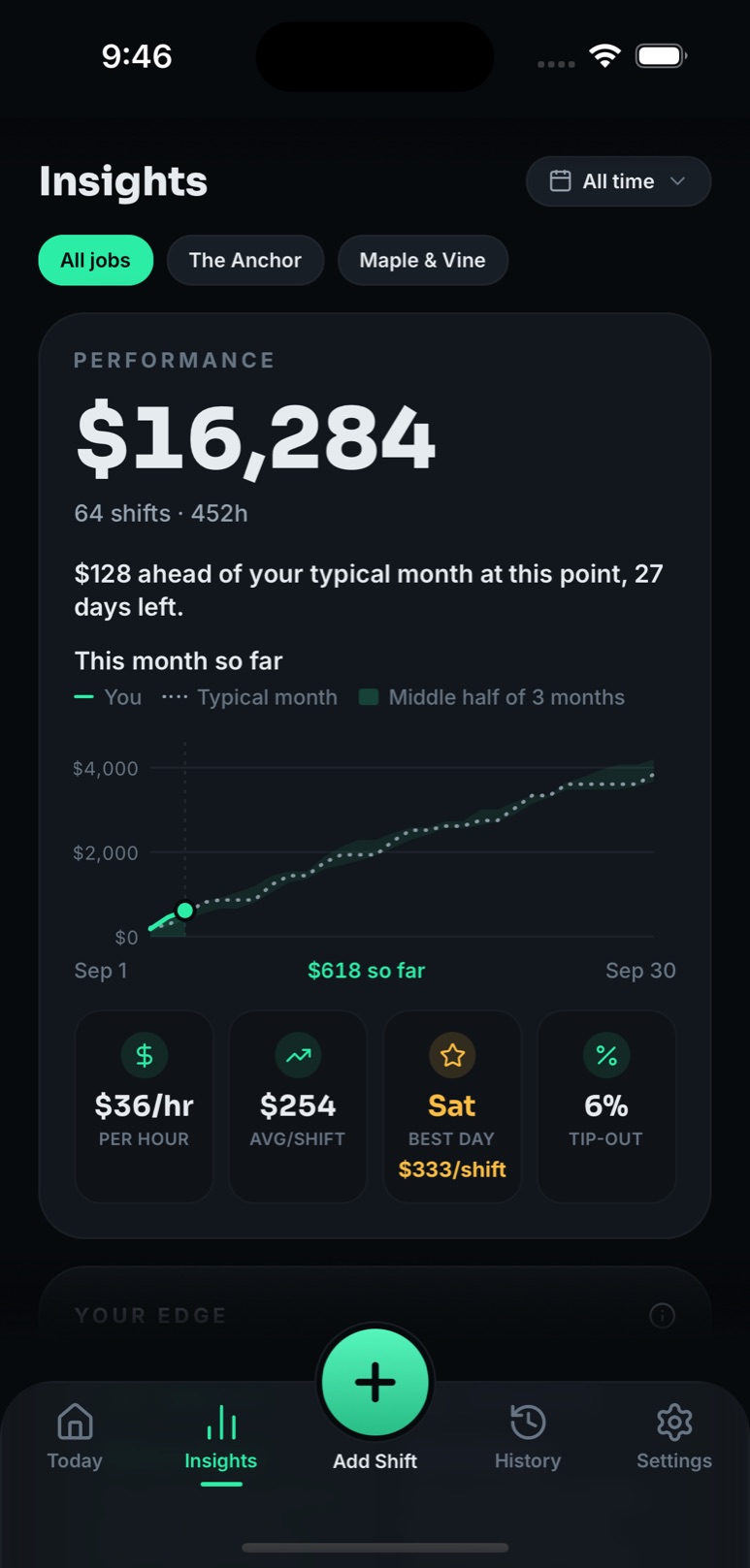
Performance · all time
$15,764
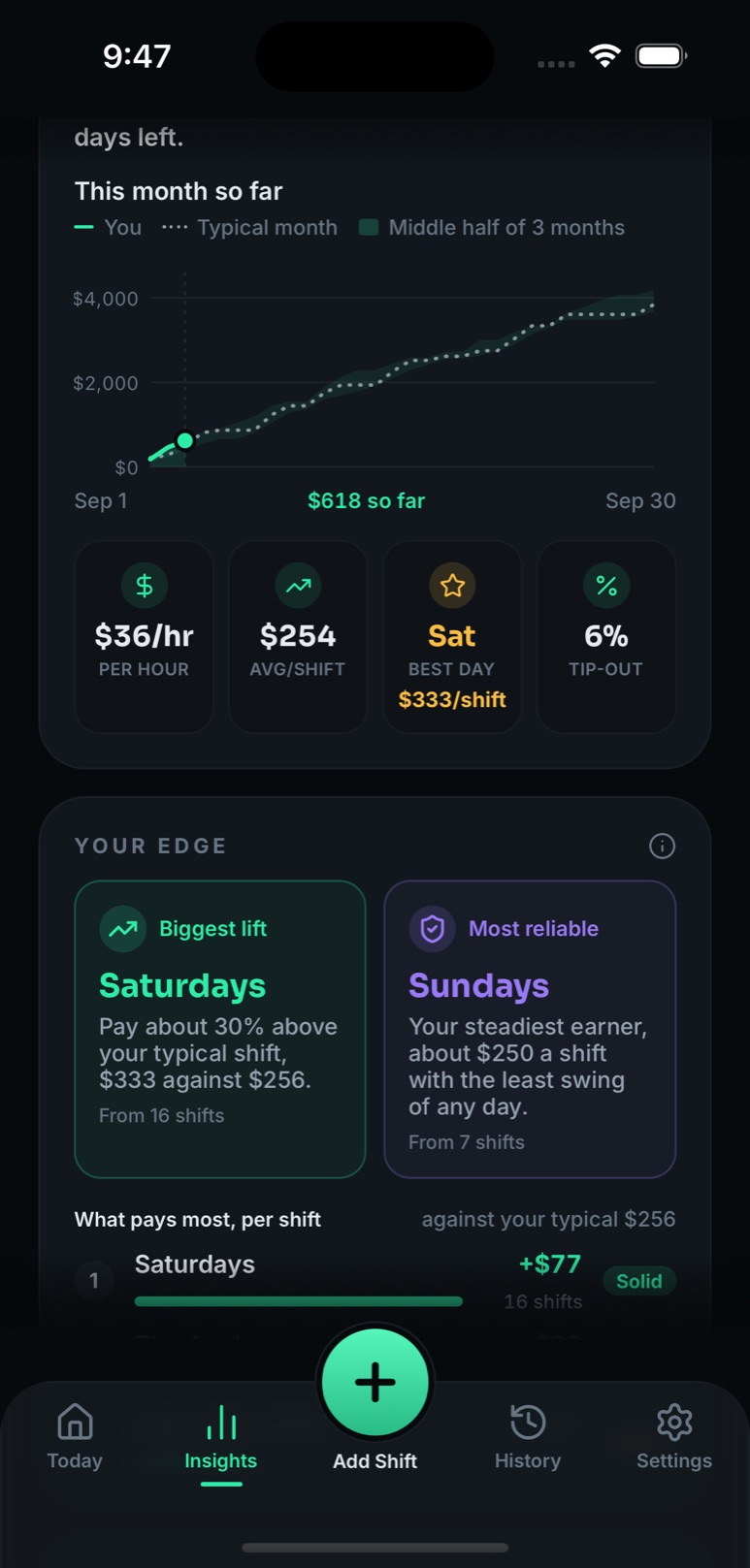
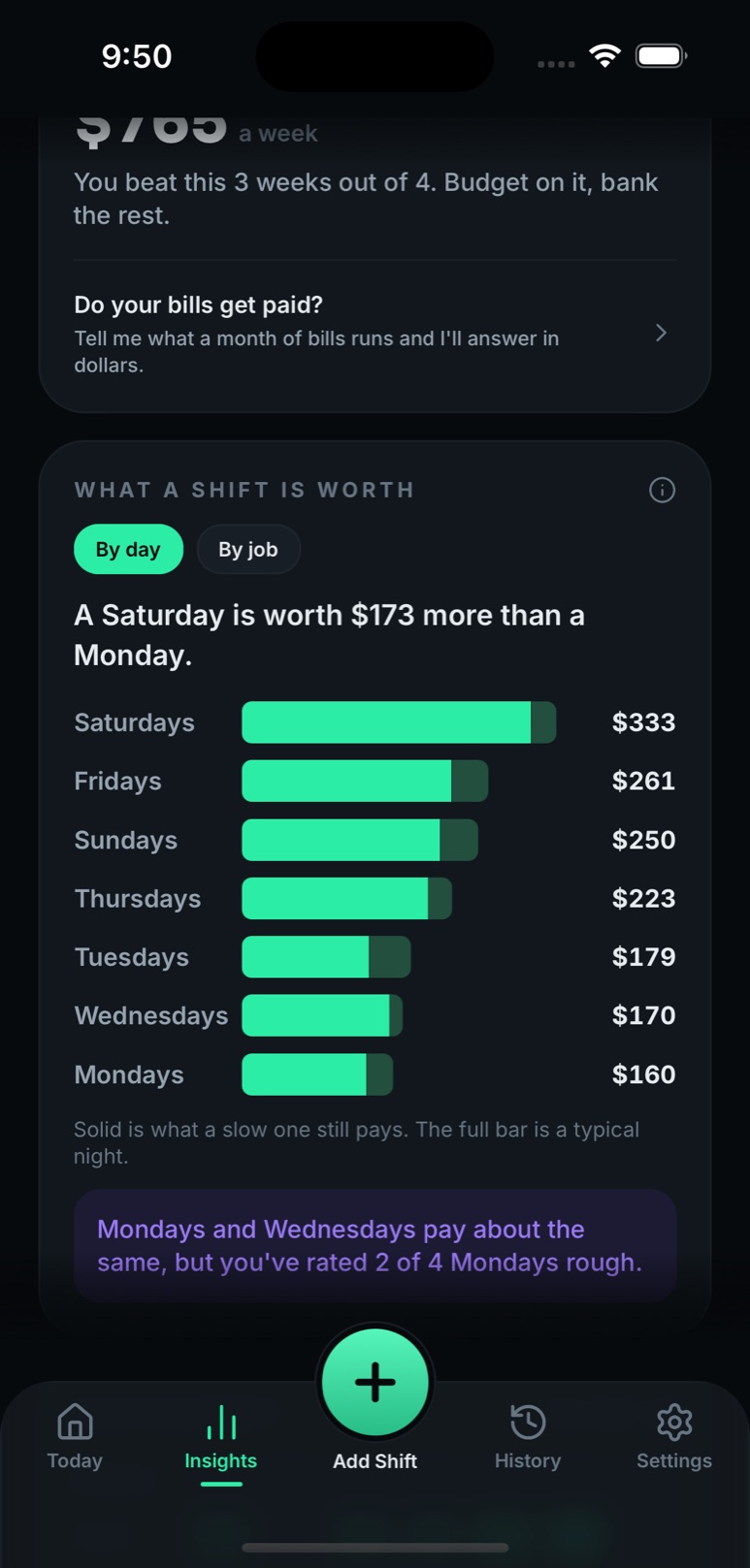
Your edge, defined
What pays most per shift, and what pays most steadily. One definition each, printed on the tile, with the number of shifts it rests on.
Biggest lift
Saturdays
Pay about 30% above your typical shift, $333 against $256.
From 16 shifts
Most reliable
Sundays
Your steadiest earner, about $250 a shift with the least swing of any day.
From 7 shifts
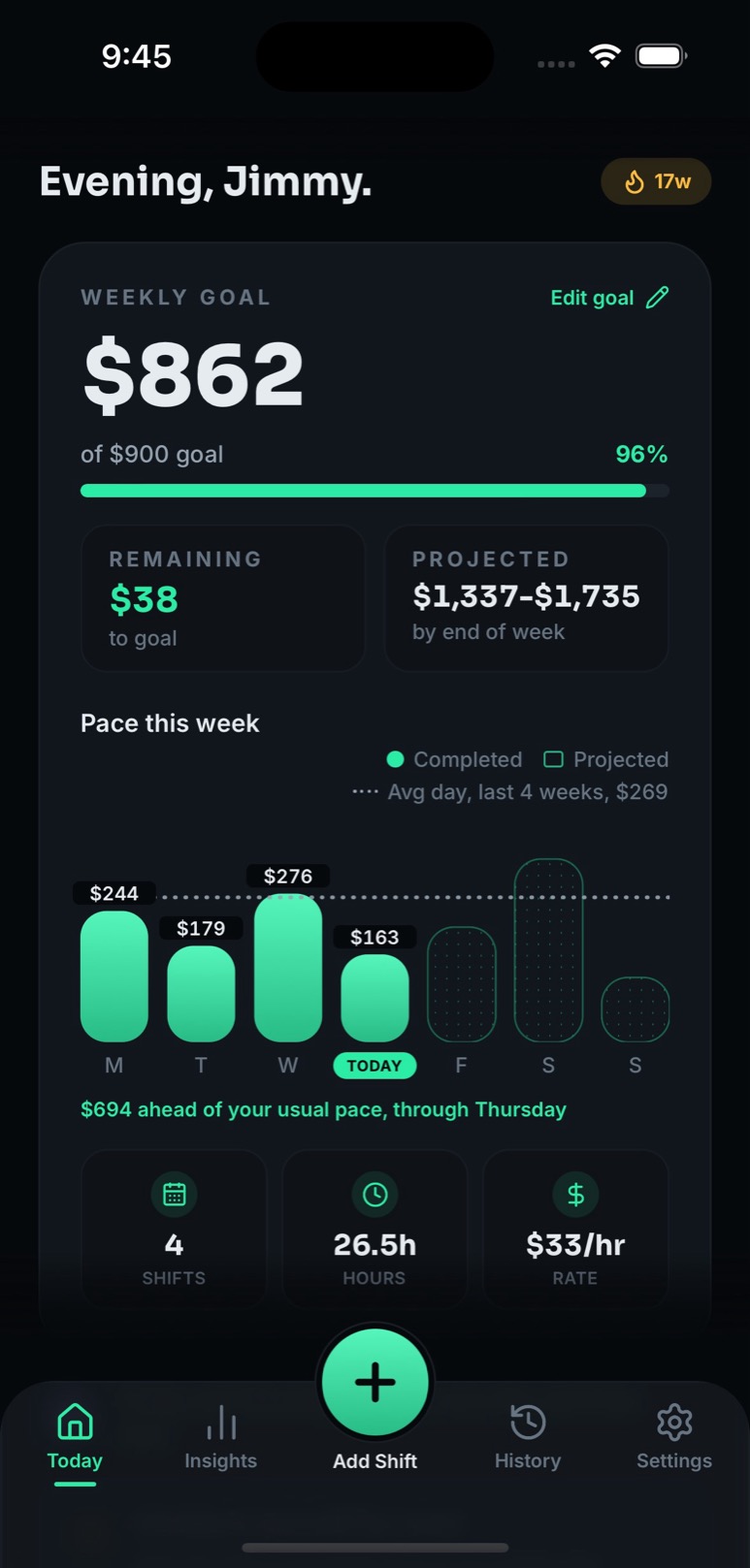
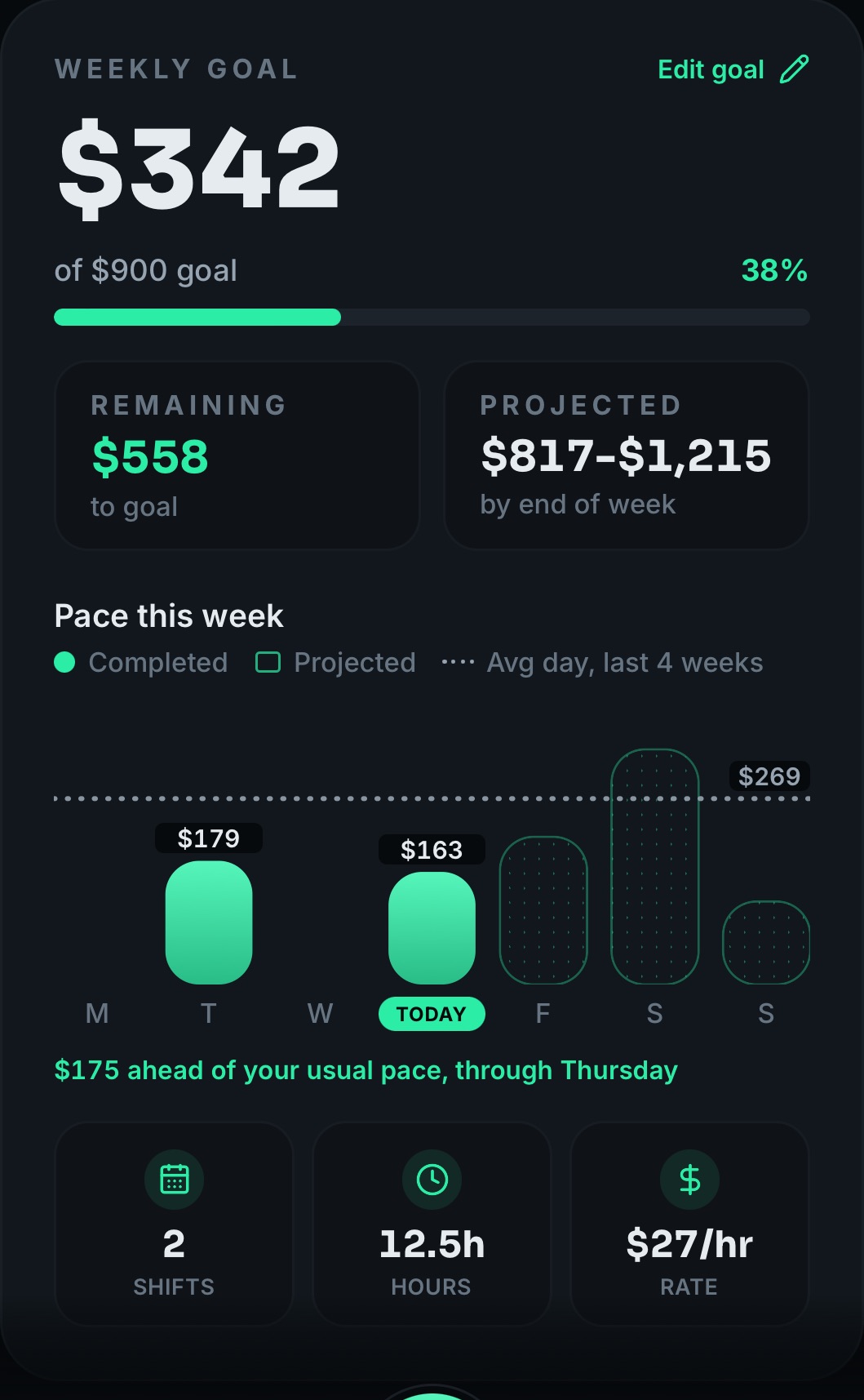
Watch the week build
Every shift moves the bar. The dotted line is your average day over the last four weeks; the empty bars are still to come.
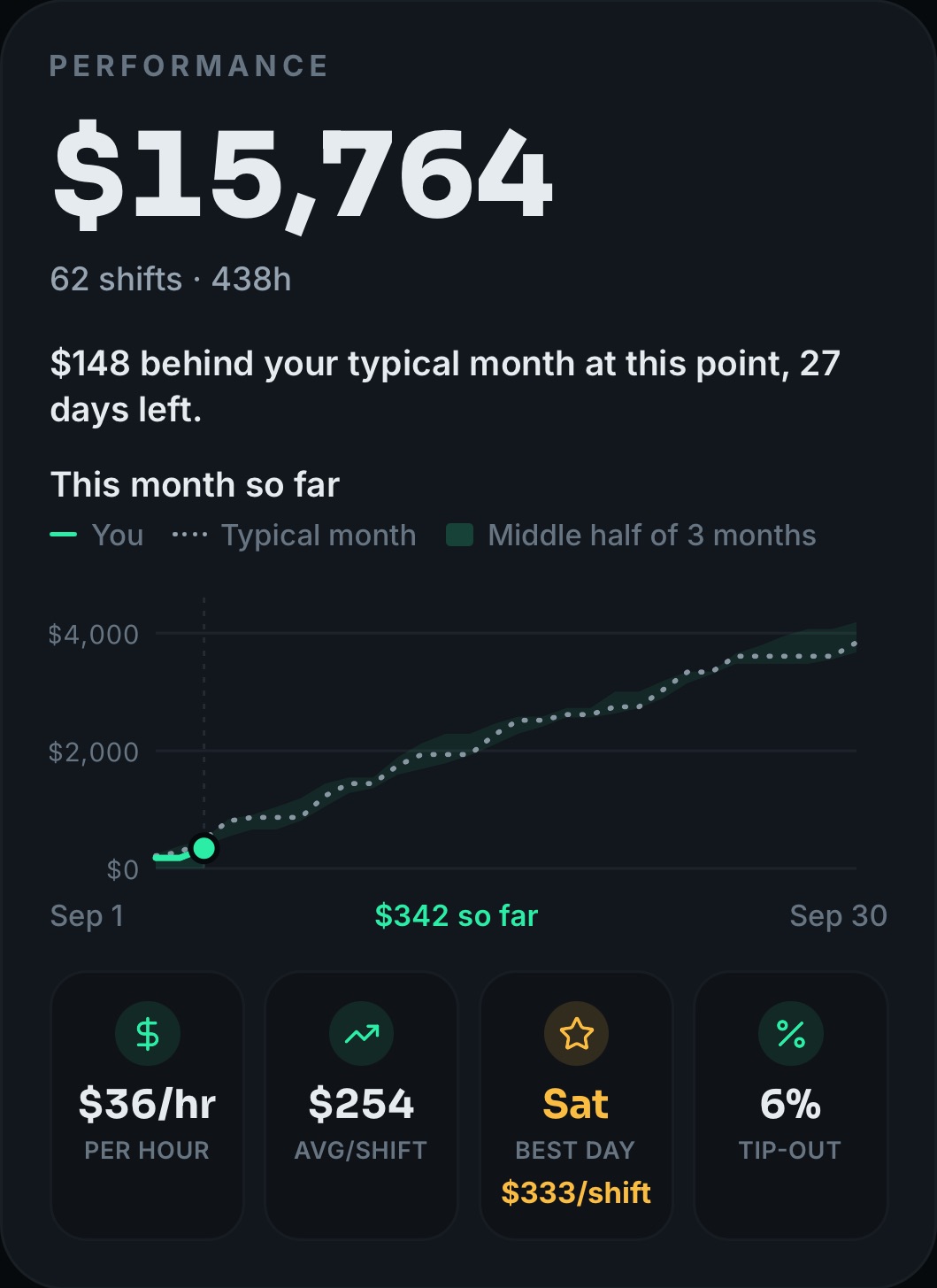
Is this month going well?
Your running total against your typical month, with the middle half of your past months shaded behind it. One defined sentence on top.
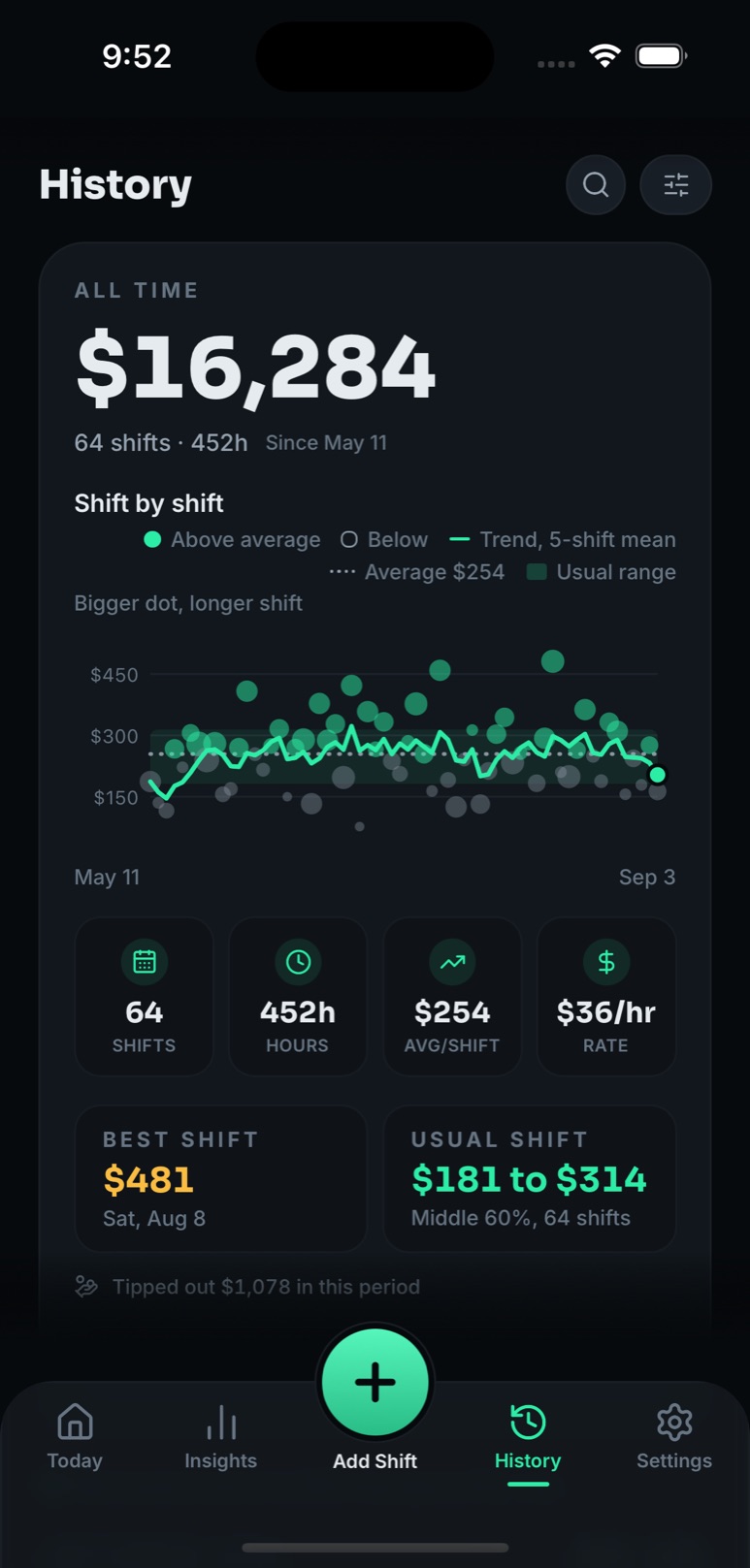
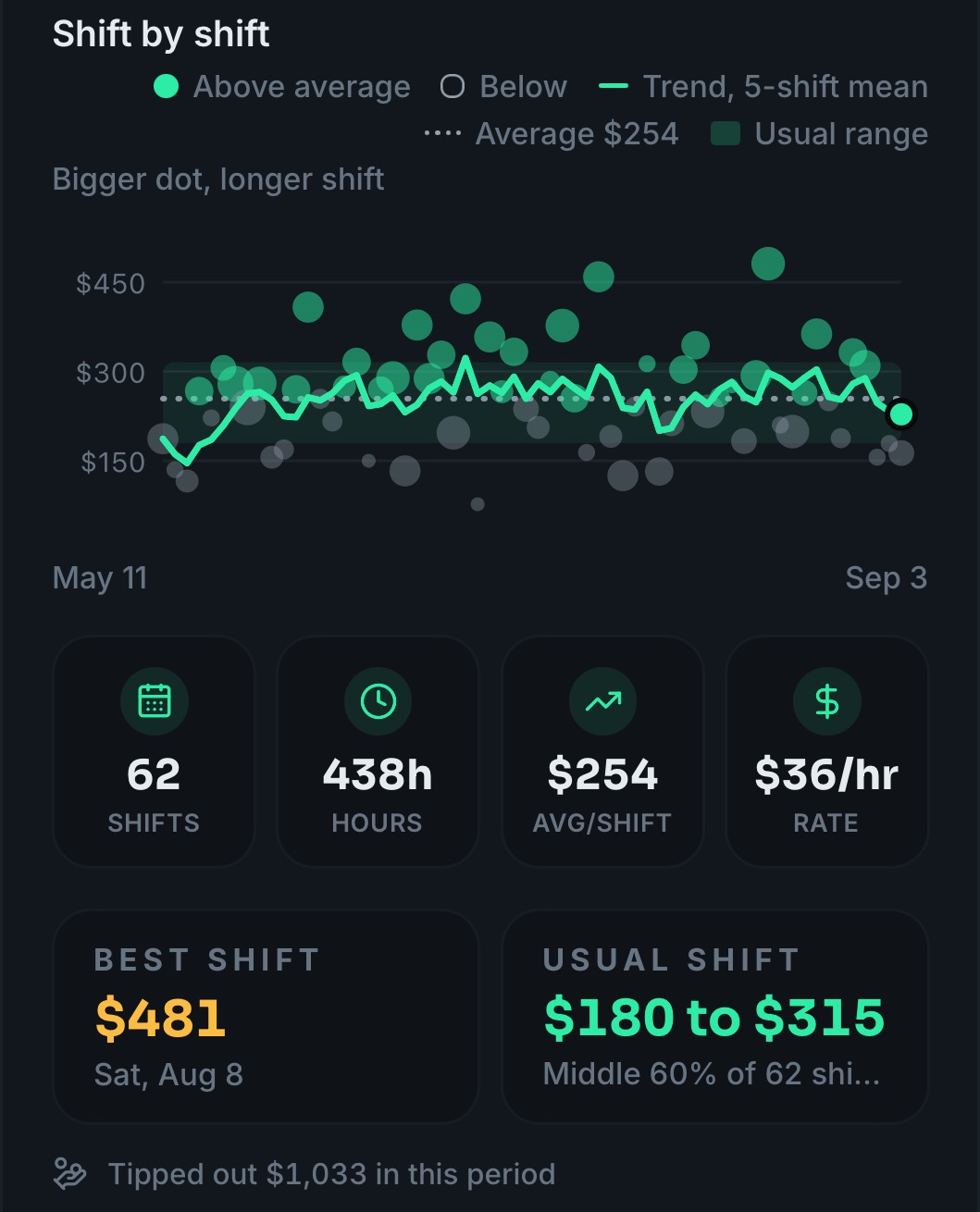
Every shift, on one chart
Bigger dot, longer shift. Mint beat your average. The band is your usual range. Smoothing is labelled, never pretended.
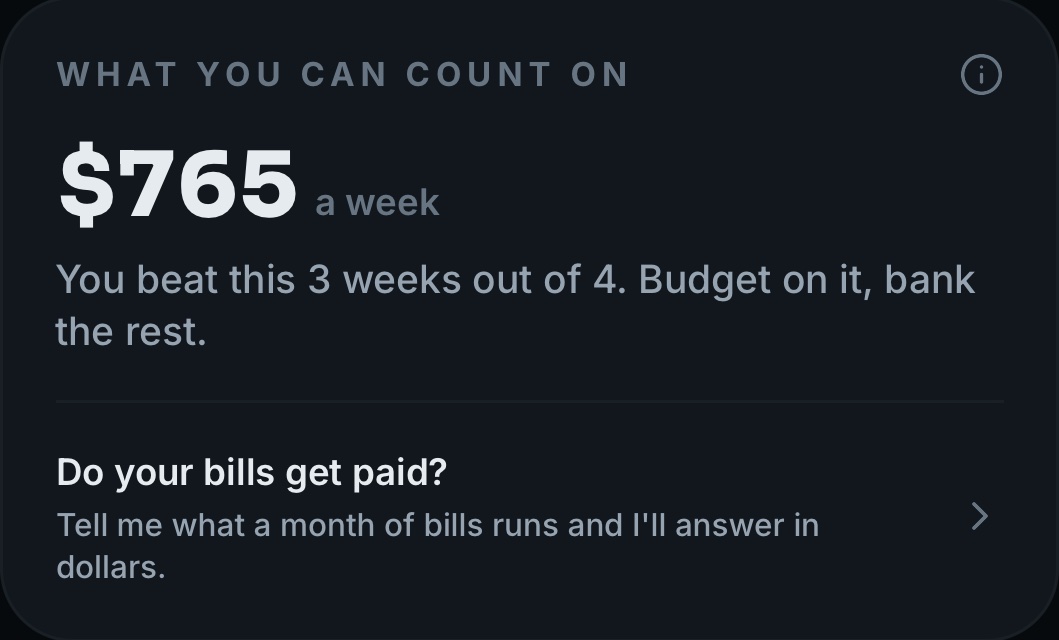
A number you can budget on
The weekly figure you beat three weeks out of four. Budget on it, bank the rest.
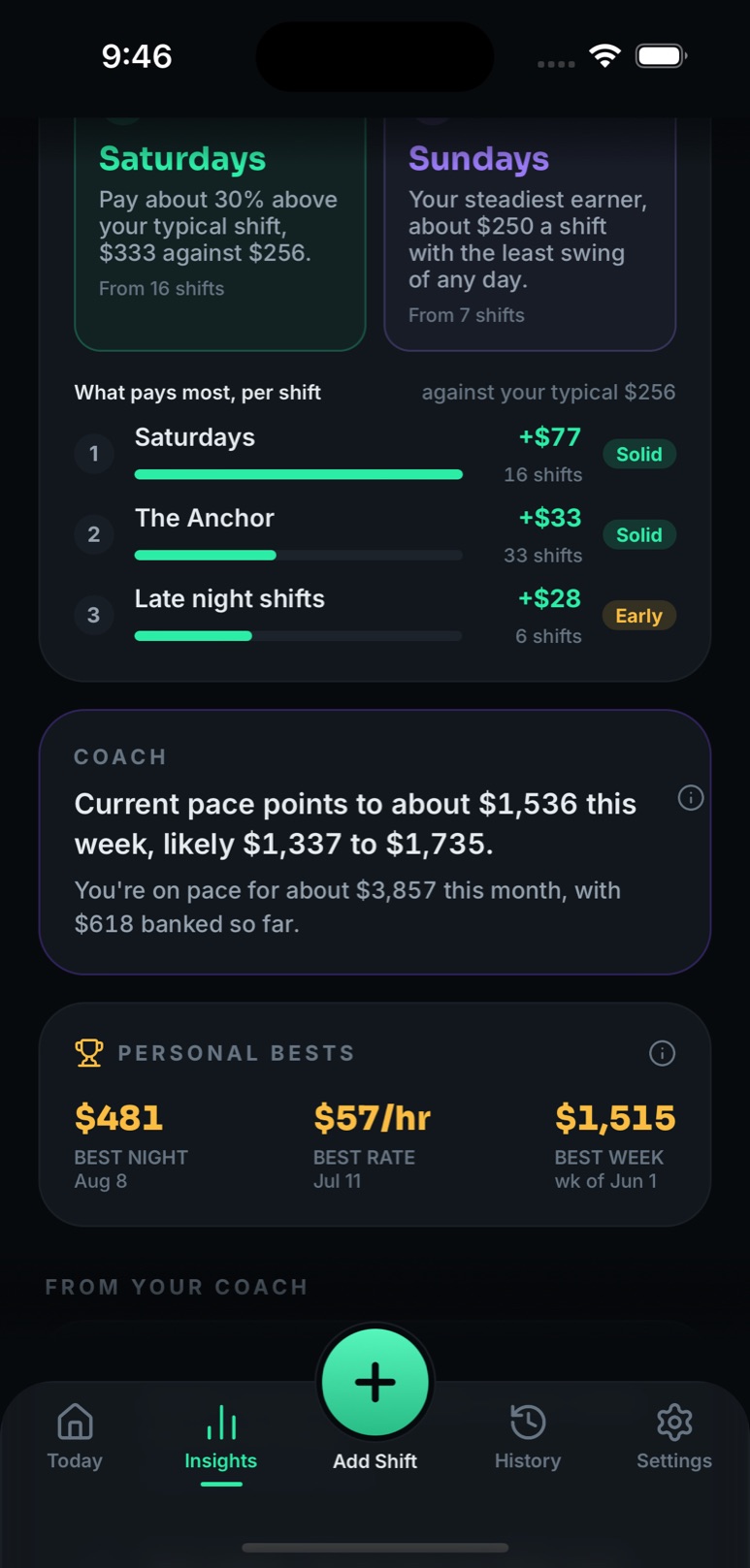
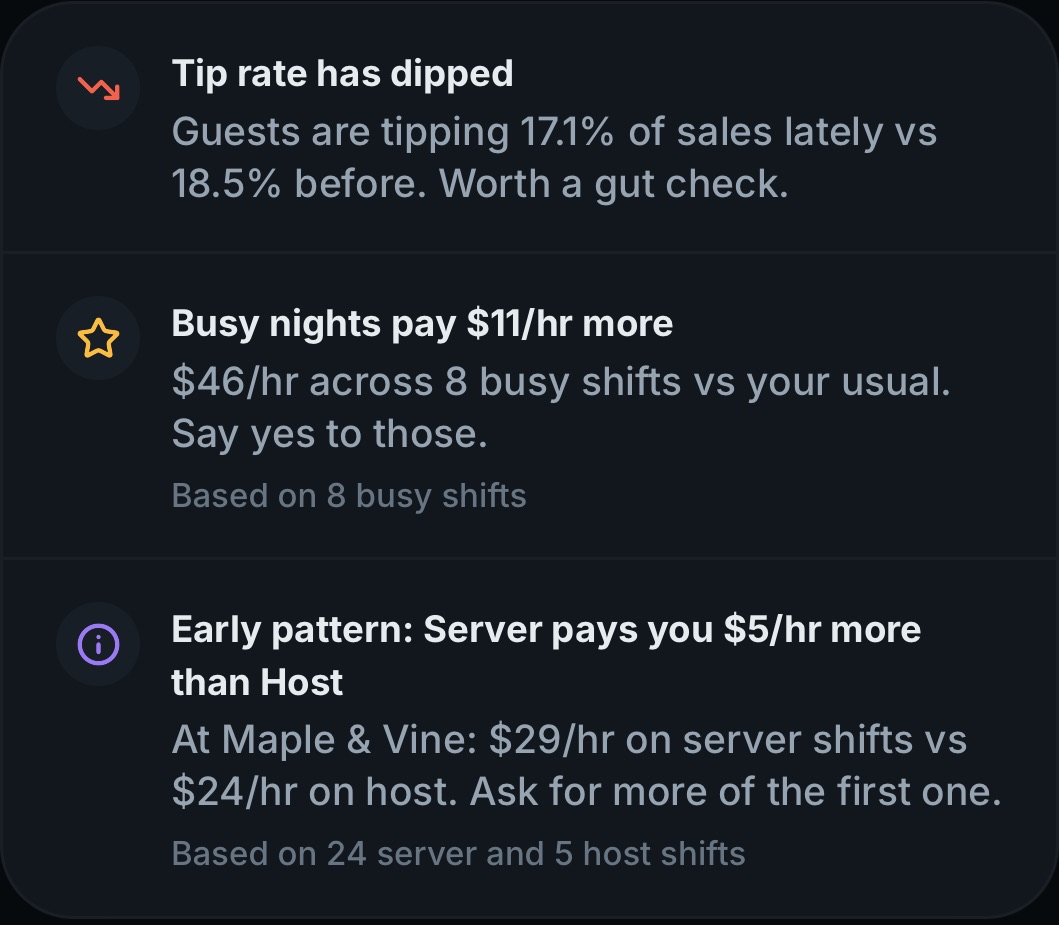
Insights that state their basis
Each line says what it compared and how many shifts it rests on, so you know how much to trust it.
Saving feels like winning
Log the shift, see what you kept, hear how it ranks, and say how it felt in one tap.
$350
added to this week
$50/hr. That is a top-10% shift for you.
Your savings target: $70.00How'd it feel?
- Rough
- Fine
- Great
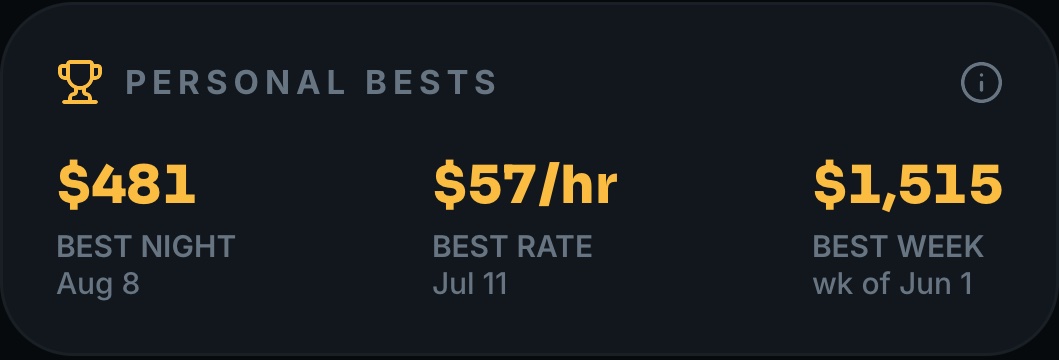
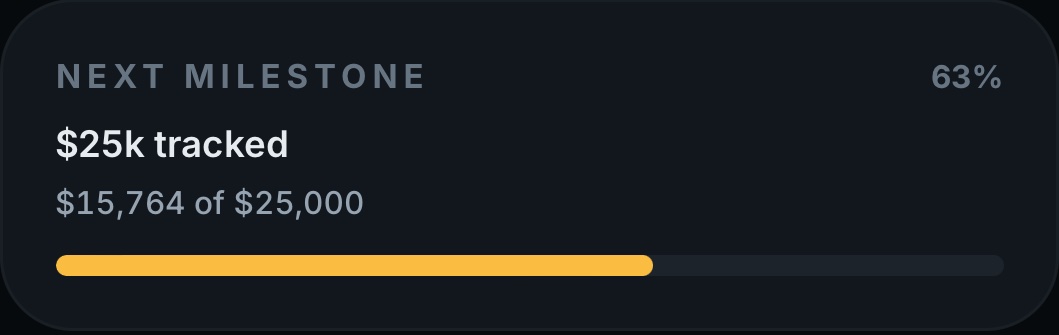
Bests and milestones
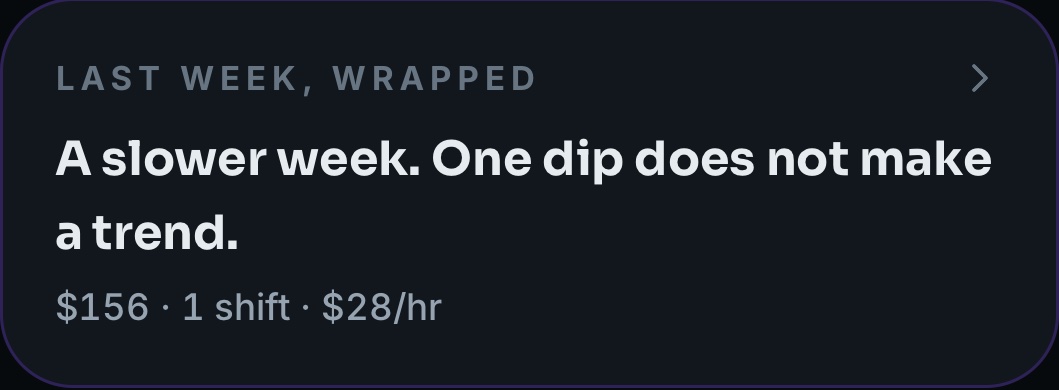
Best night, best rate, best week, and the next round number you are closing in on. Streaks count weeks, not days, because nobody works seven.
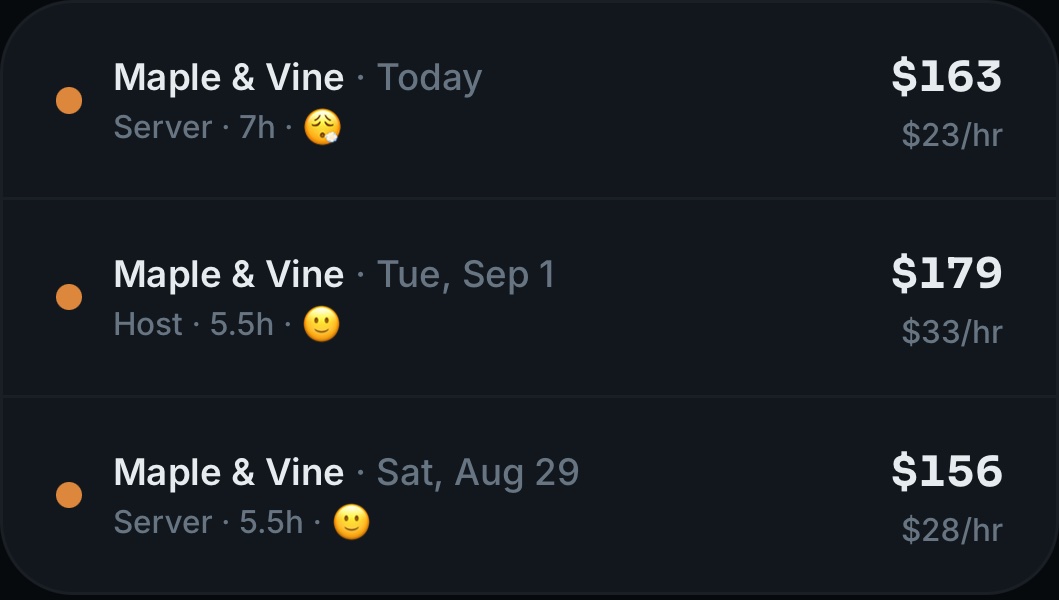
How it felt, on the record
Rough, fine or great, read back beside the money. A big night that wrecked you is on the record too, and the worth engine reads it.
Money tools
Paper trail, without the paper.
Earnings records
Export the earnings you logged for review with your accountant or employer. An optional set-aside planner calculates targets at your chosen percentage, not taxes owed or money already saved.
No rate is selected for you. TipsCoach does not determine tax eligibility or hold your money.
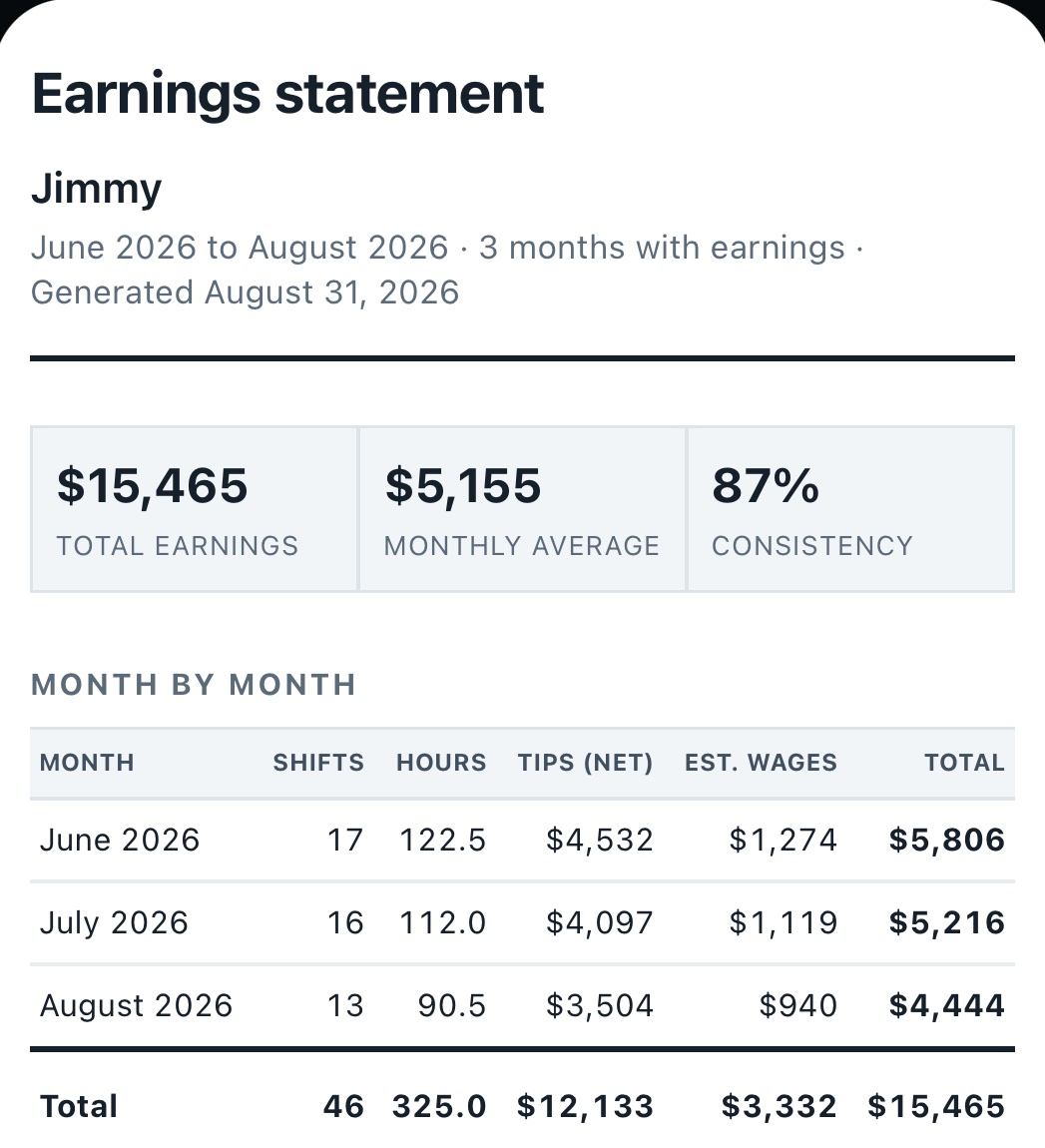
Proof of Earnings
A clean PDF earnings statement for a landlord, a lender or a leasing office. Cash work is hard to document. This is the document.
How it works
Three taps, then the math is done.
1Log the shift
Tips, hours, sales. A numpad sized for one hand at one in the morning, on the walk to the car.
2See what you kept
Your tip-out rules come off automatically, so the hourly on screen is money that stayed in your pocket.
3Learn the pattern
Which nights pay, which section pays, and what next week is shaping up to be worth.
Privacy
Your money is nobody else's business.
No ads. No analytics. No account required. Your shifts are stored on your phone and the app works with no sign-up at all. Backup is optional and stays off until you turn it on, and we never sell your data. The full detail is in the Privacy Policy.
Questions
Tracking tips, answered.
How do I keep track of my tips as a server?
Log each shift as it ends, while you still remember it: the tips you walked with, the hours you worked, and your sales if your tip-out runs on sales. TipsCoach stores that shift by shift so you build a real record instead of a rough memory, and it does the tip-out and hourly math for you.
Does TipsCoach calculate tip-out?
Yes. You set your house rules once, as a percentage of tips or a percentage of sales, and they apply to every shift automatically. Your effective hourly is calculated after tip-out comes off, which is the number that reflects what you actually kept.
Can I track tips at more than one job?
Yes. You can set up several workplaces, each with its own roles, hourly wage, tip-out rules and goal, and compare what each one is really paying you per hour.
Do I need to create an account?
No. The app is fully functional with no account at all, and your shifts are stored on your phone. Backup is optional and stays off until you enter an email address to turn it on.
Can I use TipsCoach to prove my income?
Proof of Earnings generates a PDF earnings statement covering a period you choose, which you can hand to a landlord or a lender. It is built from the shifts you logged. It is your own record rather than an employer document, so treat it as supporting evidence alongside pay stubs or tax returns.
Does TipsCoach help with taxes on tips?
TipsCoach organizes your logged earnings for review with your accountant. Its optional set-aside planner applies a percentage you choose, without recommending a rate. Targets are not money already saved. The app does not estimate taxes owed, determine deduction eligibility, hold funds, or file taxes.
Does it work without an internet connection?
Yes. Everything is stored on your phone and the app works offline, which matters in a basement bar or a walk-in with no signal. If you turn backup on, it syncs when you are connected again.
Is my tip data private?
Your shift data lives on your phone by default. We do not run analytics, we do not show ads, and we never sell your data. If you turn on backup, your shifts sync to our database so you can restore them on a new phone, scoped to your account so nobody else can read them.
Is TipsCoach free?
TipsCoach is free to download and free to log your shifts and see what they were worth. Some deeper tools are part of an optional paid upgrade, and the price is always shown in the app before you buy anything.
How does TipsCoach know if my month is on track?
It draws your running total for the month against the curve of a typical month, built from the median of your previous complete months, and shades the middle half of those months behind it. The headline is one plain sentence, such as $148 behind your typical month at this point with 27 days left, and every definition is printed on the chart. Until the first shift of a month is logged it stays neutral rather than calling you behind.
Does it track more than money?
Each shift can carry a mood, rough, fine or great, set in one tap after saving and shown beside the money in your history. Tags such as busy, game day or holiday show what those nights are worth against the rest. A daily tip states its basis, and names the study when there is one.

Know what your shift was actually worth.
- 100% free to start
- No ads
- No account needed
Coming soon to the App Store
Questions? Visit support or email support@xstreamnetworks.com.